
Documentation
Fundamentals
COI Process
Standard Operating Procedure: Certificate of Insurance (COI) Issuance
This document outlines the procedure for issuing Certificates of Insurance (COI) for venues and schools.
1. Access
- Log into the COI Portal here: COI Portal.
2. Procedure for Reissuing a Certificate (Previous Holders)
This procedure is used to reprint a certificate for a venue or school already registered in the system.
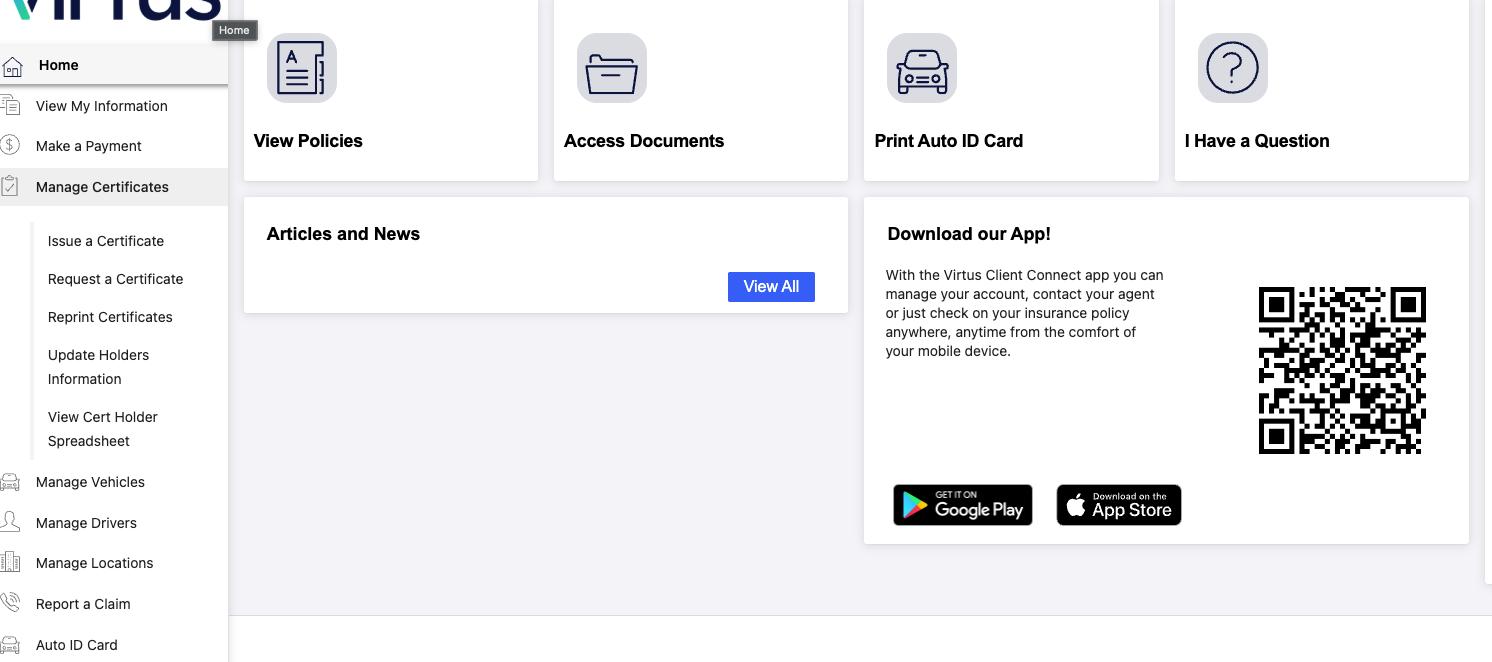
- Click Issue a Certificate.
- Navigate to Reprint certificate for Previous Vendors.
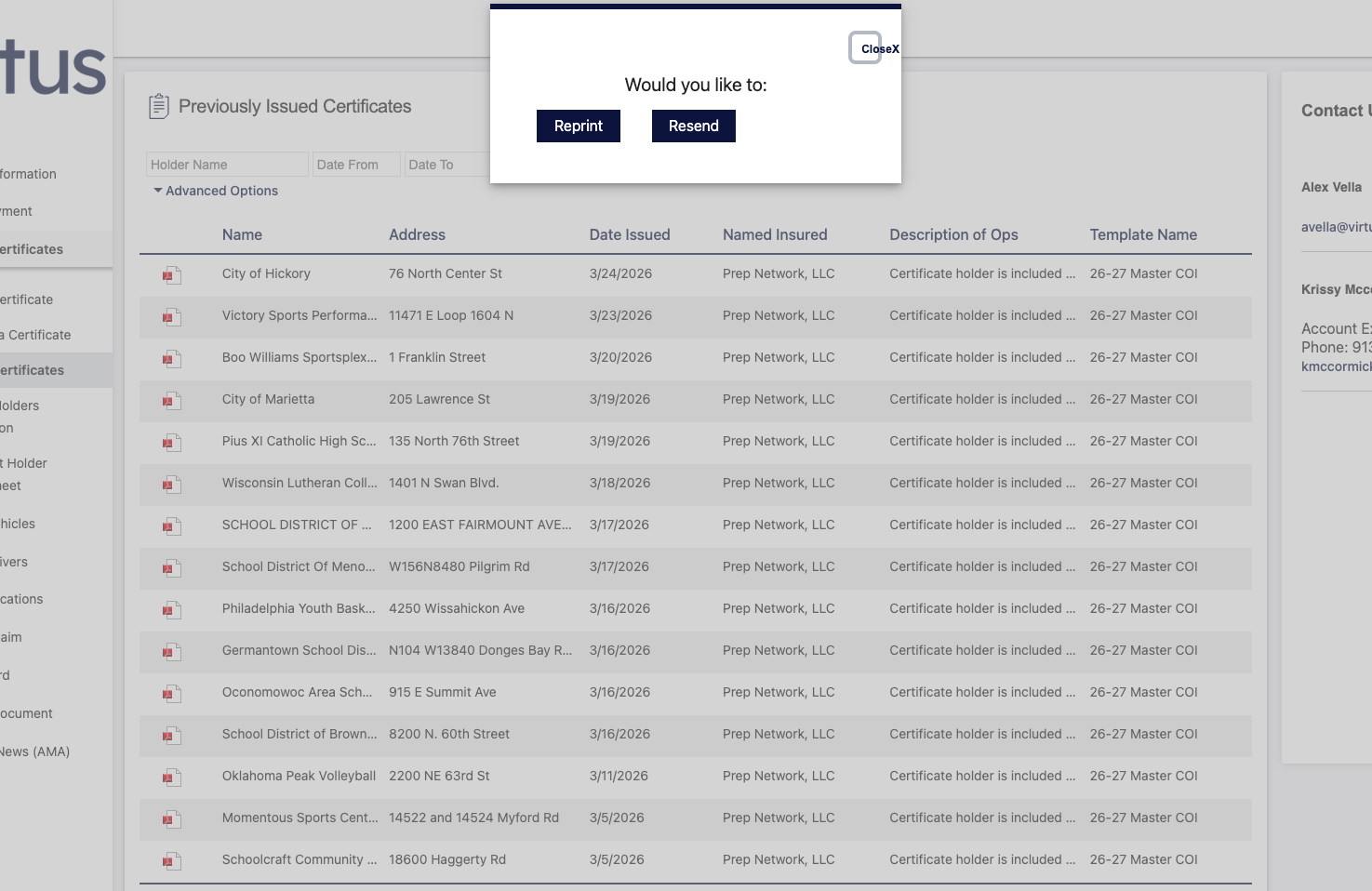
- Search for the venue or school using the search bar.
- Click reprint.
3. Procedure for Issuing a New Certificate of Insurance (New Holders)
This procedure is used to issue a COI for a new facility or school district.
- Under the Issue Certificate section, click the current master policy (e.g., 26-27 Master COI).
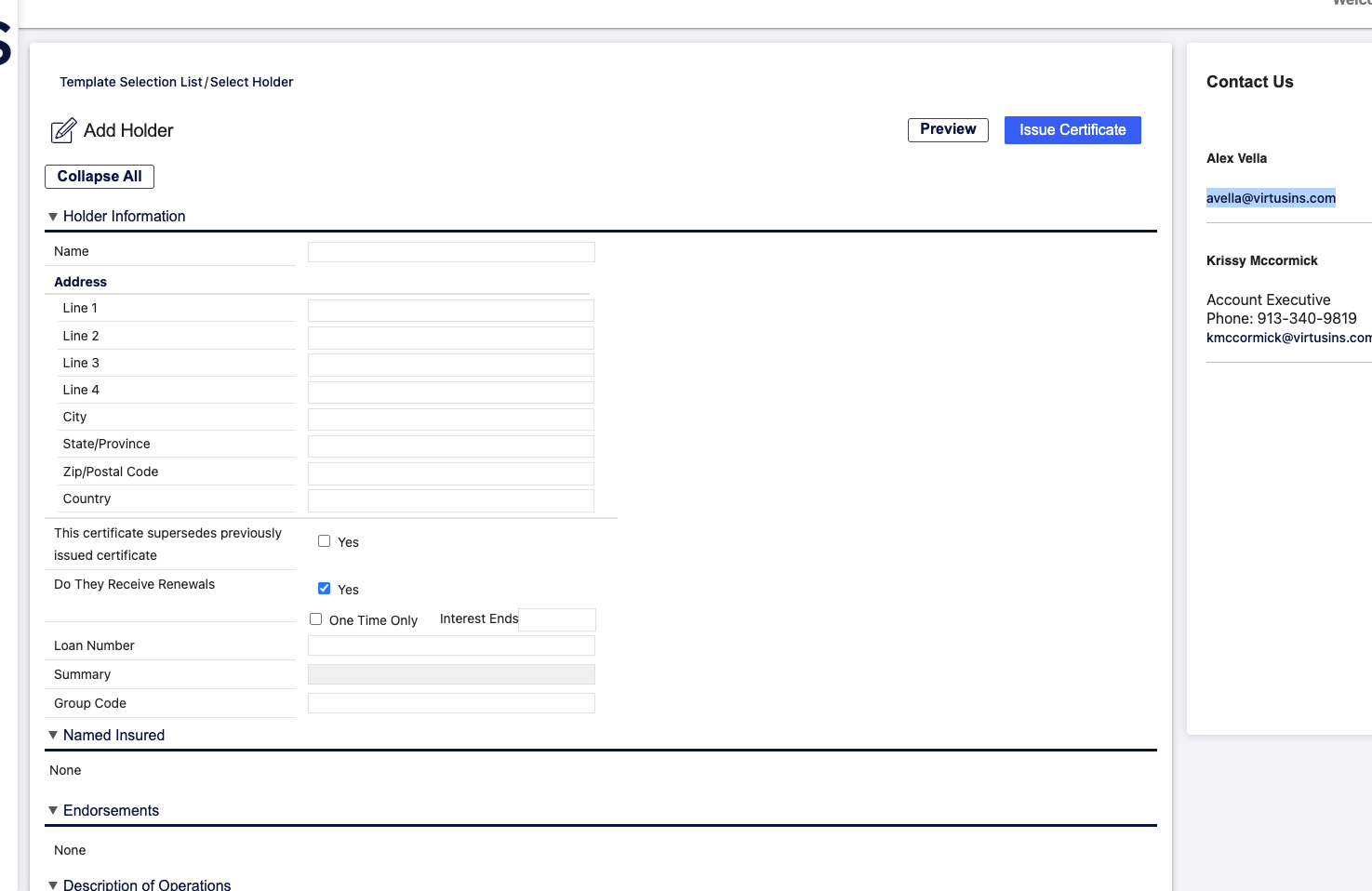
- Select Add New Holder.
- Input the full Venue or School district information, including the required address.
- Click issue certificate.
4. Documentation and Distribution
After generating the certificate (via either Procedure 2 or 3), complete the following steps:
- Save the generated COI document as a PDF.
- Email the PDF to the facility contact and CC Krup and Schley
- Note on Contact Retrieval: If you cannot locate the contact person after selecting the facility, notify Krup and Schley in the designated channel for assistance.
- Record the date the COI was sent in the designated Event App field within the system path: EA > Event Venues > Certificate of Insurance Date Field.
5. Special Circumstances
If any COI`s need amendment, they can be emailed to avella@virtusins.com and she can amend the COI.
Make sure we request a sample COI from the venue/school.
See Example Below